For iPad · Coming soon
Measure what the foundation is doing. Then prove it.
GradePoint Pro turns a floor-level survey into a finished, defensible report — right on your iPad, entirely offline. Trace the foundation, tap in your readings, and get the elevation map, the deflection analysis, and the PDF.
Built against the ASCE Texas Section V3 guidelines and TREC standards.
The readings were never the hard part.
Taking floor elevations is quick. Turning a page of numbers into a document that stands up — one that measures the right thing, cites the right standard, and doesn't claim more than the evidence supports — is the work. GradePoint Pro does that half too.
Two inspections, one instrument
Both sides of the slab.
Pre-pour inspection
Document the forms, trenches, vapor barrier, steel, and plumbing before the concrete goes down — the record that can't be taken once it's buried.
Elevation survey
Measure the floor of a finished house, see where it sits high and low, and report overall deflection, localized deflection, and tilt against the standard the industry works to.
Draw it where you stand
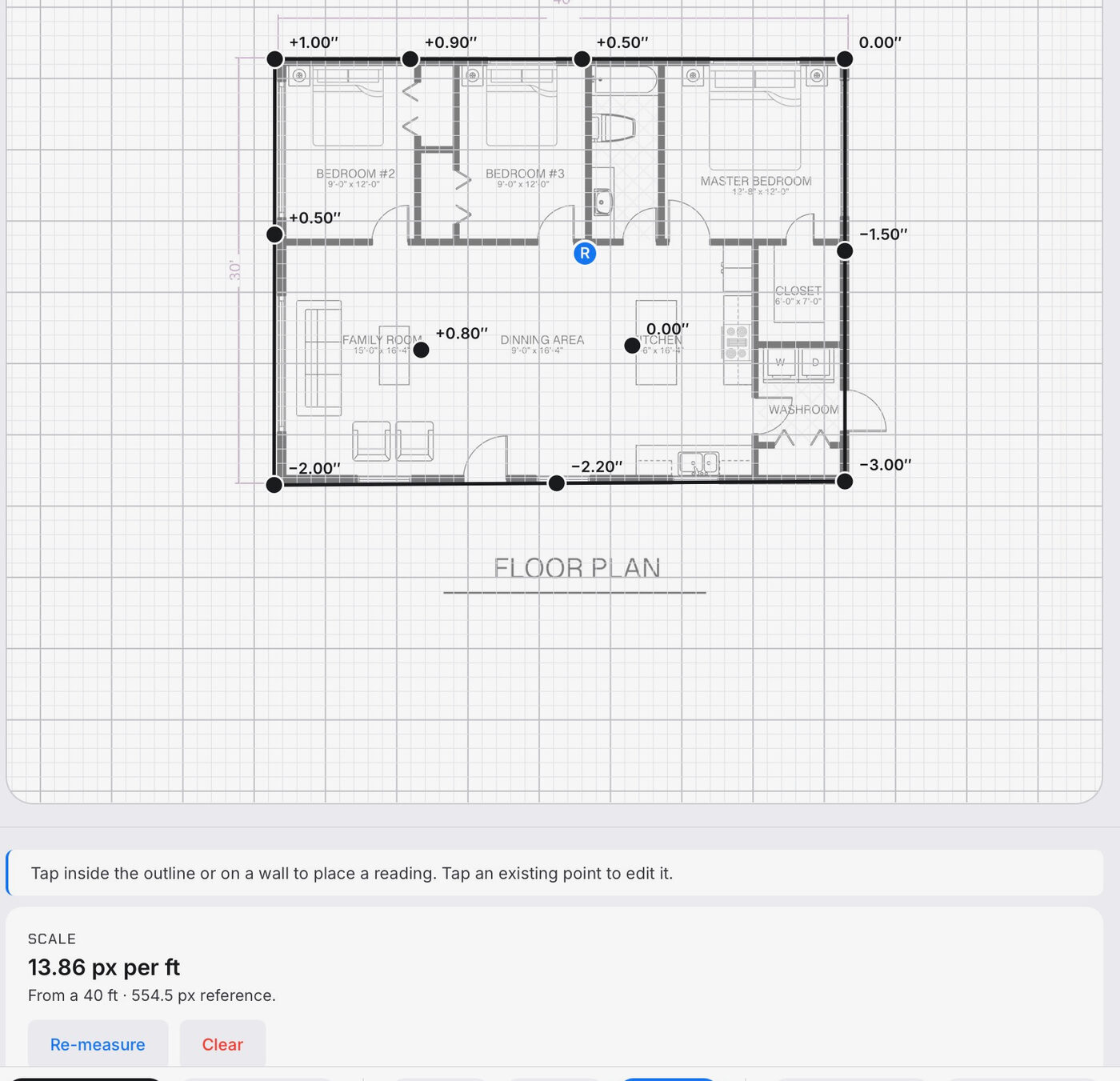
Trace the outline of the house, set the scale from one known measurement, and tap in each reading where you took it. Drop a floor plan underneath and trace right over it.
See the shape of the floor
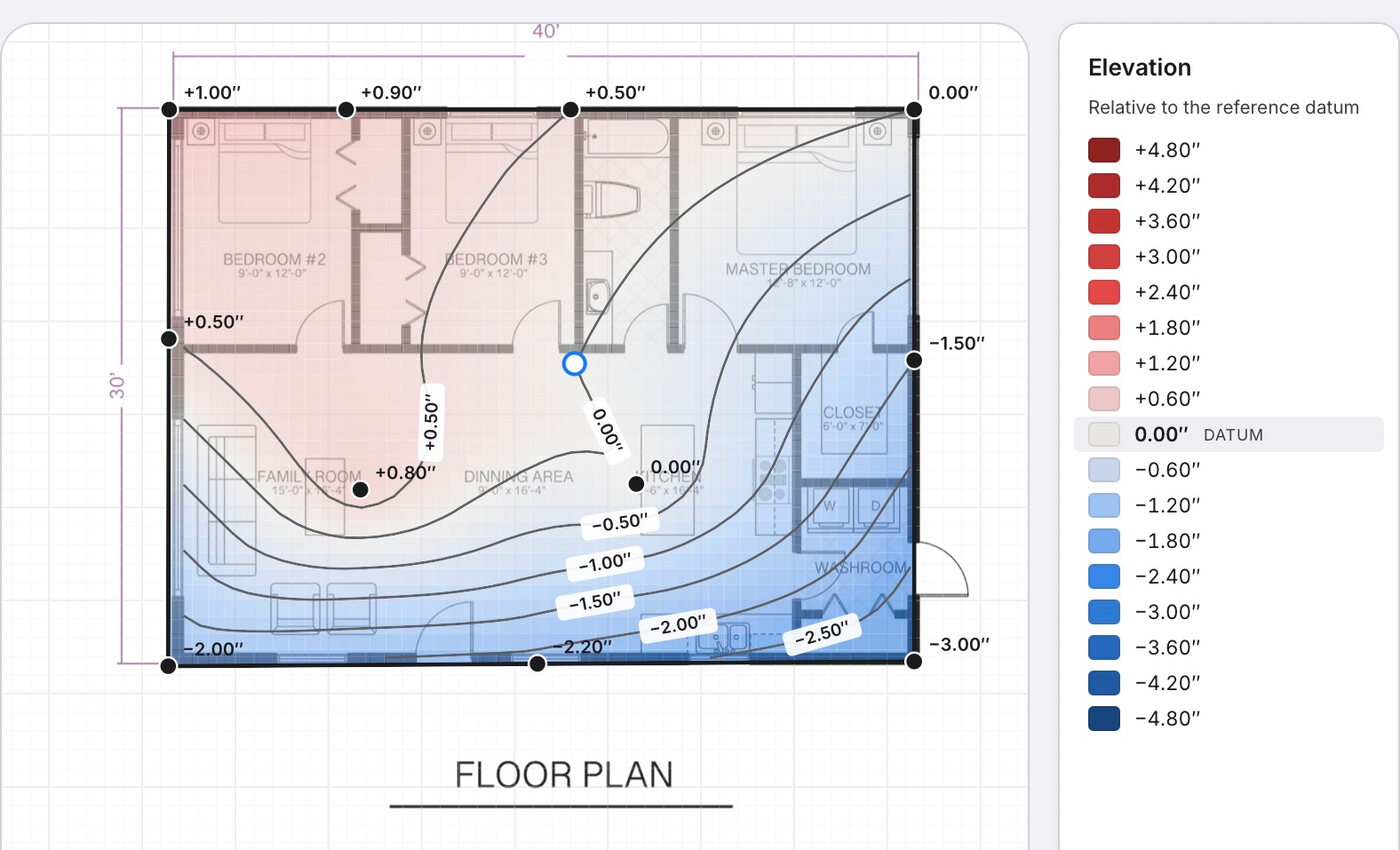
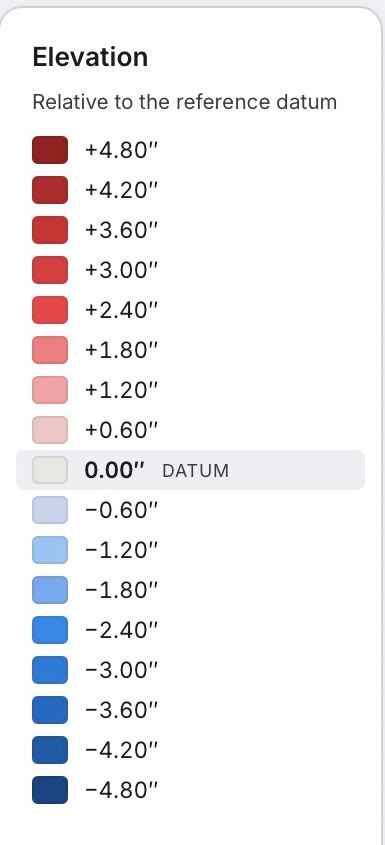
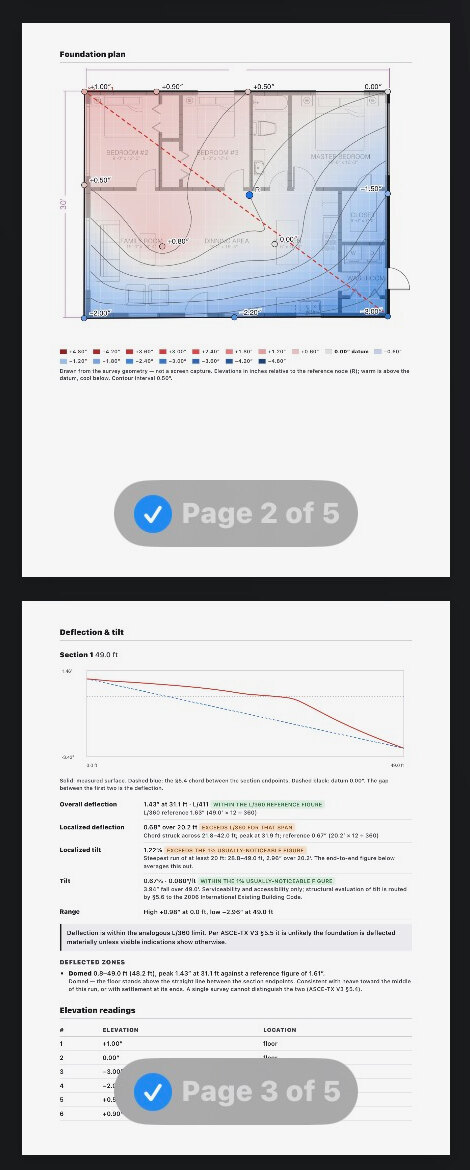
A colored map shows what's high and what's low at a glance, anchored at your reference datum — warm above, cool below — with contour lines drawn only across what you actually measured.
Deflection and tilt, against the standard
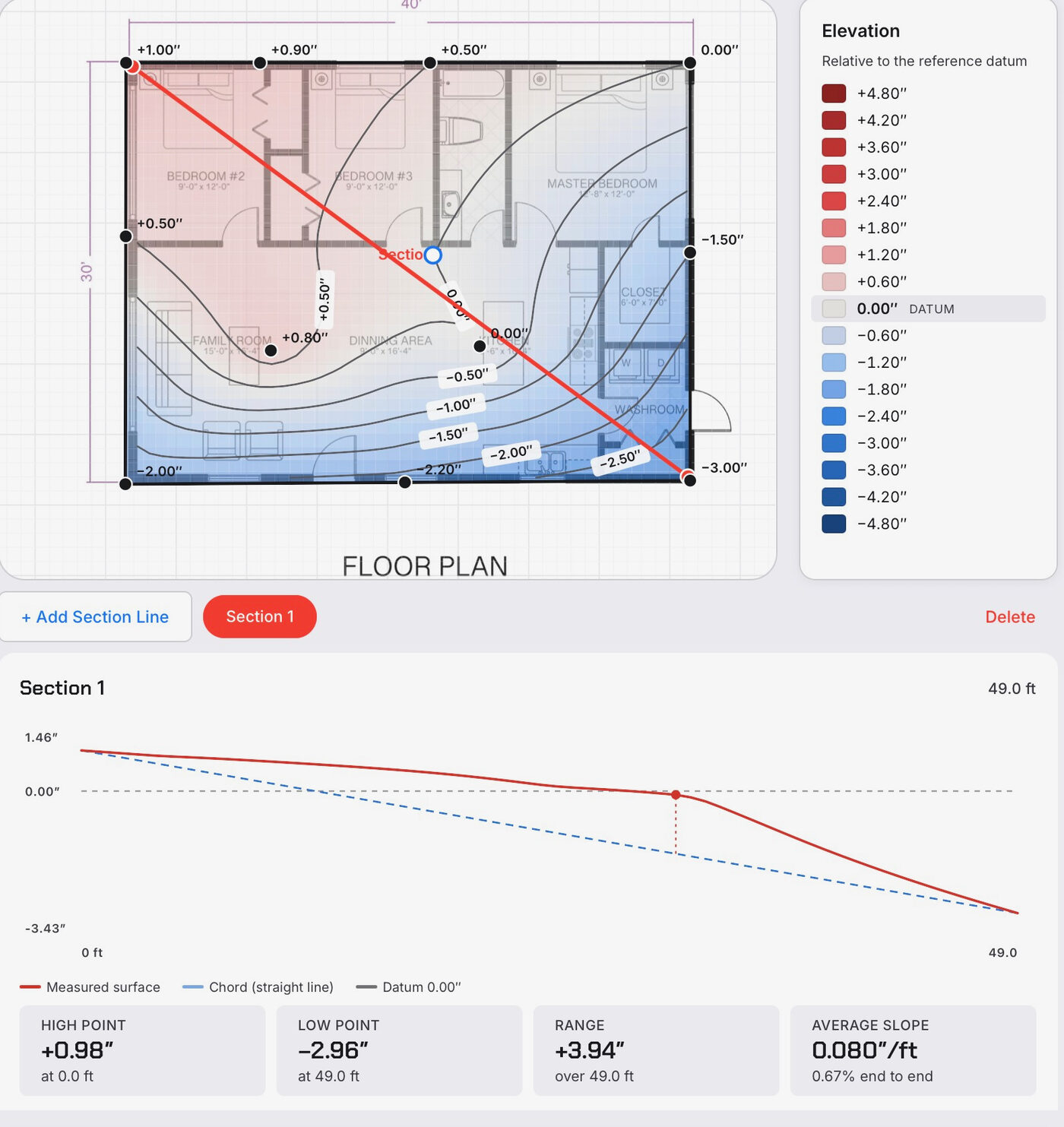
Draw a section line anywhere and GradePoint reports overall deflection, localized deflection, and tilt — each compared to its allowance, each traceable to the formula and the standard behind it.
Findings, pinned to the plan
Cracks, sticking doors, drainage, vegetation — pin each finding on the same drawing, with photos and notes, then review them all in one place.
A report you can hand over
The drawing, the figures, the photographs, and your own words come together as a clean PDF — the document your client receives, and the record you keep.
Built to be defensible
Built against a standard, not a form.
GradePoint's engineering behavior follows the ASCE Texas Section Guidelines for the Evaluation and Repair of Residential Foundations (V3) and the TREC rules for what an inspector's report must contain. Every figure is computed by deterministic math you can re-derive by hand, and each result cites the standard it applies.
Measurements, not verdicts. GradePoint reports what it measured and the conditions you recorded. Determining the cause of movement, or the repair appropriate to it, is the practice of engineering — GradePoint leaves that judgment to the licensed professional who signs the report, and says so on the document itself.
Made for the field
It works where the work happens.
Offline by default
No signal required. Crawl spaces don't have Wi‑Fi.
Your data stays yours
Everything is stored on your iPad; nothing is sent to us.
One file, moved anywhere
Export a whole survey, photos included, by AirDrop, email, or iCloud.
Built for touch
Precise snapping and a fast custom keypad made for numeric field entry.
Who it's for
Built for the people who evaluate foundations.
Home inspectors
Add a rigorous foundation evaluation to your services, with a report that looks the part.
Structural engineers
A fast, consistent field instrument whose numbers you can re-derive and stand behind.
Foundation professionals
A clean, repeatable site record, ready to carry into your own workflow.
Be first to know when GradePoint Pro launches.
We're finishing field testing now. Leave your email and we'll tell you the day it's on the App Store — no spam, no sharing your address.
We'll only use your email to notify you about GradePoint Pro. See our Privacy Policy.